If you’re looking for a professional-grade TV wall mount, you want a strong, versatile solution that fits your screen size, wall type, and viewing angle needs. This guide highlights five solid options for 37″–100″ displays, emphasizing wall-leaning profiles, full motion ranges, and sturdy construction. The best picks suit different buyers: home theater enthusiasts seeking immersive angles, busy families needing space-saving setups, and office or conference spaces requiring reliable, easy-to-adjust mounts. Below is a quick overview table of the selected models and their key strengths.
| Product | Best For | Supported Weight | VESA Range | |
|---|---|---|---|---|
| Mounting Dream MD2268-LK | General living rooms, glare reduction via tilt | 132 lbs | 600×400 mm | 16″–24″ |
| Perlegear PGLF8 | Large TVs, flexible angles | 132 lbs | 600×400 mm | 16″–24″ |
| Mount-It! Beast | Huge screens, immersive viewing | 275 lbs | 100×100 mm to 800×600 mm | 16″–24″ |
| Perlegear PGLF15 | UL-listed, versatile mounting | 132 lbs | 600×400 mm | 12″–16″ |
| Mounting Dream MD2298-XL | All-round full-motion for 42″–90″ | 132 lbs | 800×400 mm | 16″–24″ |
Note: Always verify your TV’s weight, VESA pattern, and wall structure before installation. The right mount improves safety, reduces glare, and enables comfortable viewing from multiple seating areas.
Mounting Dream MD2268-LK: Low-Profile Tilting Mount
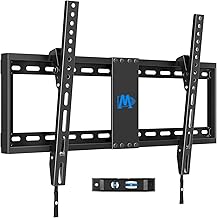
Best for: medium to large living rooms with a need to reduce glare. This tilting mount supports 37″–90″ TVs up to 132 lbs with a max VESA of 600×400 mm. It offers a slim 1.5-inch profile, making it ideal for rooms where wall depth matters. The forward tilt of up to 8 degrees helps optimize viewing angles and minimize reflections. It fits 16″, 18″, and 24″ wood studs. Caution: confirm stud spacing and ensure the wall can bear the load, especially with larger TVs.
Perlegear PGLF8 Full Motion Wall Mount

Best for: users needing strong multi-angle adjustments for mid-to-large TVs. This UL-listed mount fits 42″–90″ displays up to 132 lbs with VESA patterns from 200×100 mm to 600×400 mm. It supports 8″, 12″, or 16″ stud spacing and offers +/-50° swivel with +5°/-15° tilt and +/-3° post-install leveling. It is well-suited for living rooms, entertainment spaces, or conference areas where precise positioning is important. Limitation: verify wall type and stud spacing; an extension bracket may be needed if studs are wider than standard.
Mount-It! Beast Heavy Duty Wall Mount

Best for: very large TVs and professional-grade installations. The Beast supports 98″–100″ displays up to 275 lbs with a 39″ extension and a wide VESA range from 100×100 mm to 800×600 mm. It requires solid mounting to wood studs or concrete; not recommended for drywall-only walls. Use this when you need maximum reach and robust support for immersive viewing in big rooms or commercial spaces. Caution: large extension increases leverage; ensure wall reinforcement and installation accuracy.
Perlegear PGLF15 Full Motion Mount

Best for: versatile configurations in 42″–97″ rooms up to 132 lbs. This UL-listed mount offers tool-free tilt, swivel, extension, and compatible with 12″ and 16″ wood studs. It supports a 600×400 mm max VESA. Choose this if you want flexible positioning and a straightforward installation process without special tools. Limitation: verify exact TV weight and VESA compatibility to ensure a proper fit before purchase.
Mounting Dream MD2298-XL Full Motion TV Mount

Best for: all-around full-motion capability for 42″–90″ TVs up to 132 lbs with max VESA 800×400 mm. It supports 16″, 18″, and 24″ stud spacing and features full motion: tilt, swivel, and extend/retract for flexible viewing from multiple chairs or rooms. This model is well-suited for larger living rooms or multi-use spaces where varied viewing positions are common. Caution: ensure the wall structure is suitable for the extended reach of this mount to prevent stress on the wall.
Buying Guide: Key Considerations for Professional TV Wall Mounting
What size and weight can your wall support? Check the TV’s weight and the mount’s maximum load. Confirm VESA compatibility to ensure mounting holes align with the bracket.
How flexible do you need the viewing angle to be? Consider tilt, swivel, and extension. Full-motion arms are ideal for multi-seat rooms, while tilting mounts reduce glare for bright spaces.
Wall type and stud spacing matter. Wood studs are common; verify spacing (16″ or 24″) and whether you need an extension bracket or concrete anchors for brick or concrete walls.
Profile and clearance are important. Low-profile mounts save space but limit tilt and extension. Ensure the mount clearance fits behind the TV and around existing walls or furniture.
Installation and safety. UL-listed or other certifications add confidence for large TVs. Consider tools-free adjustments if you want quicker setups or reconfigurations.
Frequently Asked Questions
- What does VESA pattern mean for mounting?
- Can I mount a 90″ TV on a standard wall?
- Is wall reinforcement necessary for heavy TVs?
- Do I need professional installation for full-motion mounts?
- What is the difference between tilting and full-motion mounts?
- Which mounts are best for glare reduction?
Answers: VESA pattern indicates the mounting hole pattern on the back of the TV and must match the mount’s VESA range. A 90″ TV often requires a high-capacity, wall-reinforced mount and can benefit from full-motion arms for flexible seating. Heavier TVs may require reinforcement or concrete anchors, especially on drywall-only walls. Installation can be DIY for many mounts, but professional help is advised for very large screens or complex wall configurations. Tilting reduces glare, while full-motion mounts provide broader angle control and distance from the wall.